Manage your content
directly in GitHub
directly in GitHub
A minimal CMS that connects to your GitHub
repositories.
Edit MDX and Markdown files with ease.
Edit MDX and Markdown files with ease.
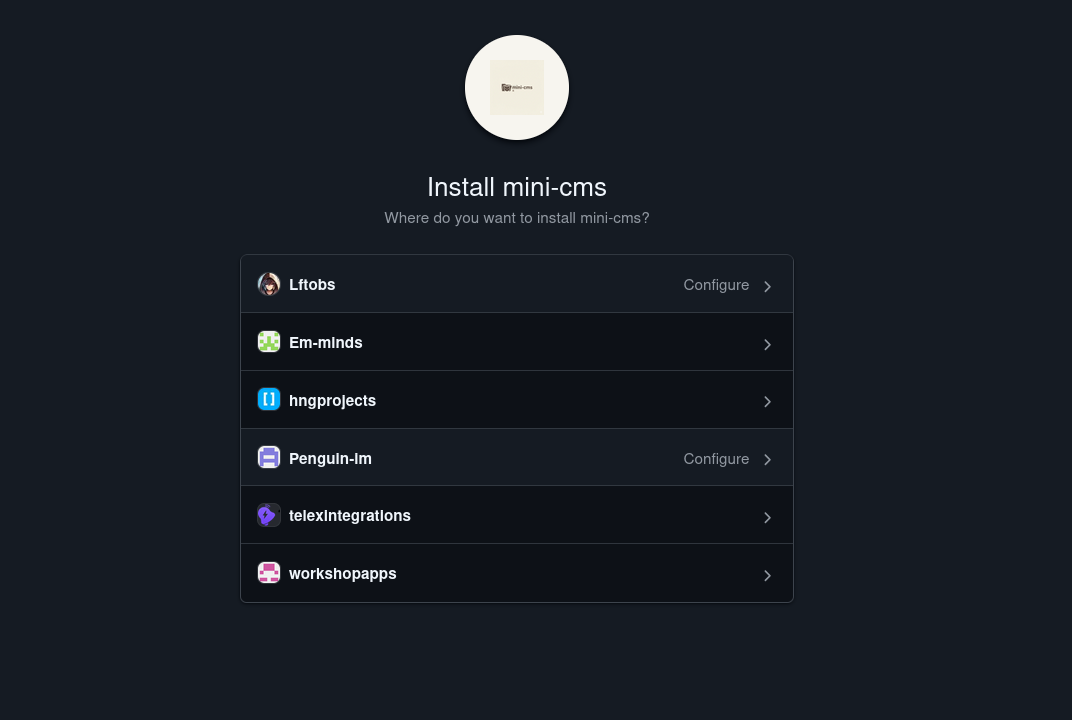
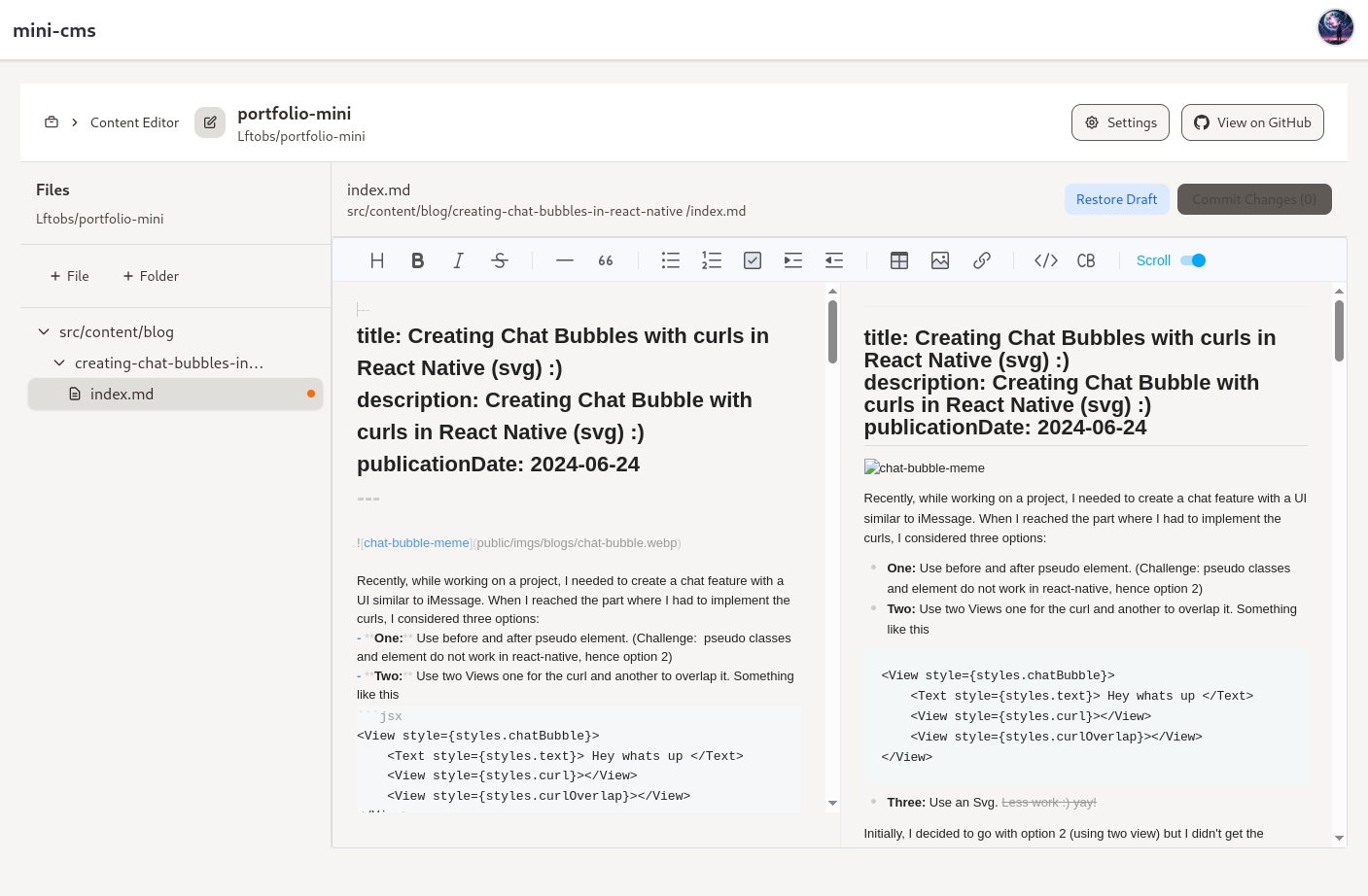
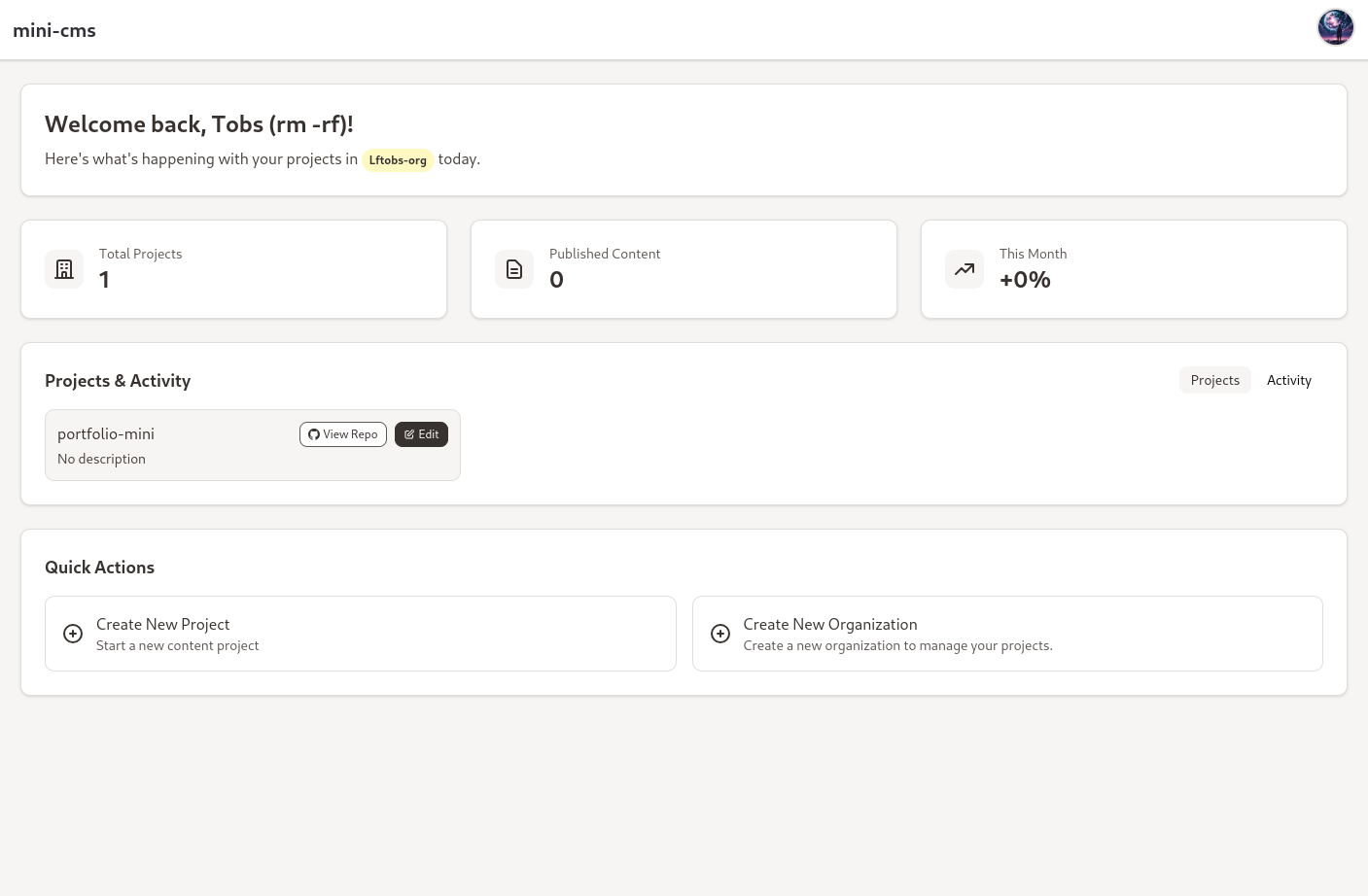
GitHub Integration
Connect directly to your GitHub repositories
and manage content with version control
built-in.
Rich Text Editor
Edit MDX and Markdown files with a powerful
WYSIWYG editor and live preview.
Project Management
Organize your content with projects, track
activity, and manage permissions.
Frequently Asked Questions
Explore your data, build your dashboard,
bring your team together.
bring your team together.
What is mini-cms and who is it for?
mini-cms is a minimal content management system that connects directly to your GitHub repositories. It's perfect for developers, content teams, and technical writers who want to manage MDX and Markdown files with full version control.
How does GitHub integration work?
mini-cms uses GitHub App authentication to connect to your repositories. You can browse, edit, and create files directly in your GitHub repos. All changes are committed with proper version control, so you maintain full history and can use pull requests.
What file types can I edit?
mini-cms supports MDX and Markdown files. You can configure which directories and file extensions are editable through project settings. The rich text editor provides a WYSIWYG interface with live preview.
How do projects and organizations work?
You can organize your content into projects, each linked to a GitHub repository. Projects belong to organizations, which can be connected to your personal GitHub account or GitHub organizations. This allows you to manage multiple repositories efficiently.
Is my content secure?
Absolutely. mini-cms uses GitHub App authentication, so it only accesses repositories you explicitly grant permission to. All edits go through GitHub's secure API, and your content stays in your repositories with full version control.
How do I get started with mini-cms?
Getting started is simple! Sign up with your GitHub account, install the GitHub App, and create your first project linked to a repository. You can start editing files immediately with our free plan.
Ready to manage your content in GitHub?
Join developers and content teams using mini-cms
to edit MDX and Markdown files with full version control.
to edit MDX and Markdown files with full version control.
Product
Company
About us
Our team
Careers
Brand
Contact
Resources